
Layouts: Split, Grid and Canvas
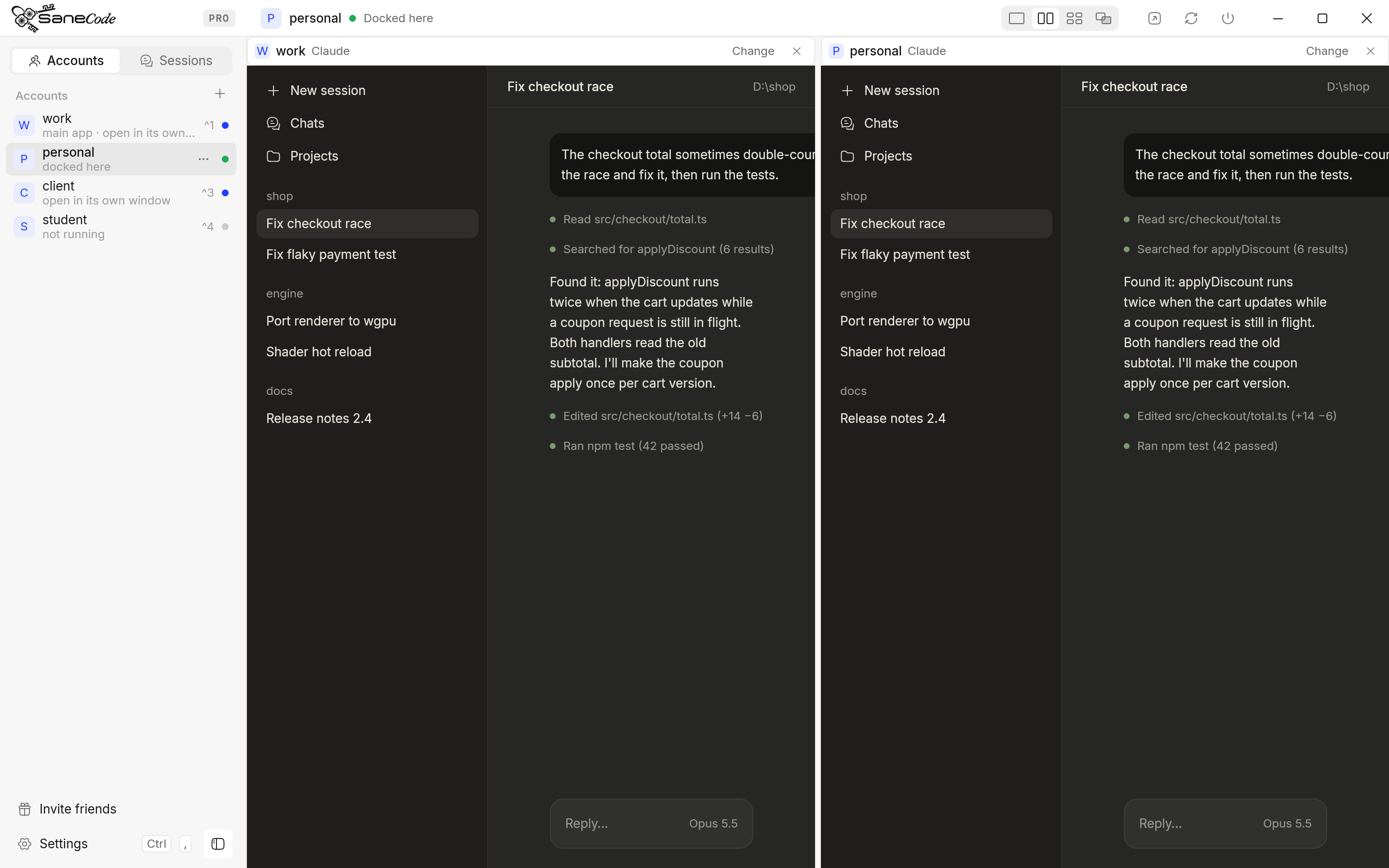
Layouts show several Claude windows at once inside SaneCode. Pick one with the four small pictures at the right of the title bar: one Claude, Split, Grid and Canvas. Every pane is a real Claude desktop window, from any of your accounts, or a chat you popped out. Split and Grid are free; Canvas is part of Pro.
What’s on every pane?
Each pane has a slim header that SaneCode draws above the Claude window:
- The account picture and name, then which window: “Claude” for the account’s main window, or the chat’s name.
- Change opens a list of every account and every chat. Pick one to show it in this pane. If it’s already in another pane (or elsewhere on the Canvas), the two swap places. If it’s already in another pane, the two swap. If its account isn’t running, SaneCode starts it.
- × takes the window out of the layout. That Claude keeps running.
Click inside a pane to type there: your keys go to the pane you clicked last.
How do I use Split?
Split shows two Claude windows side by side. Drag the line between them to give one side more room (each side keeps at least 280 points), and double-click the line to go back to 50/50. Split is free.
How do I use Grid?
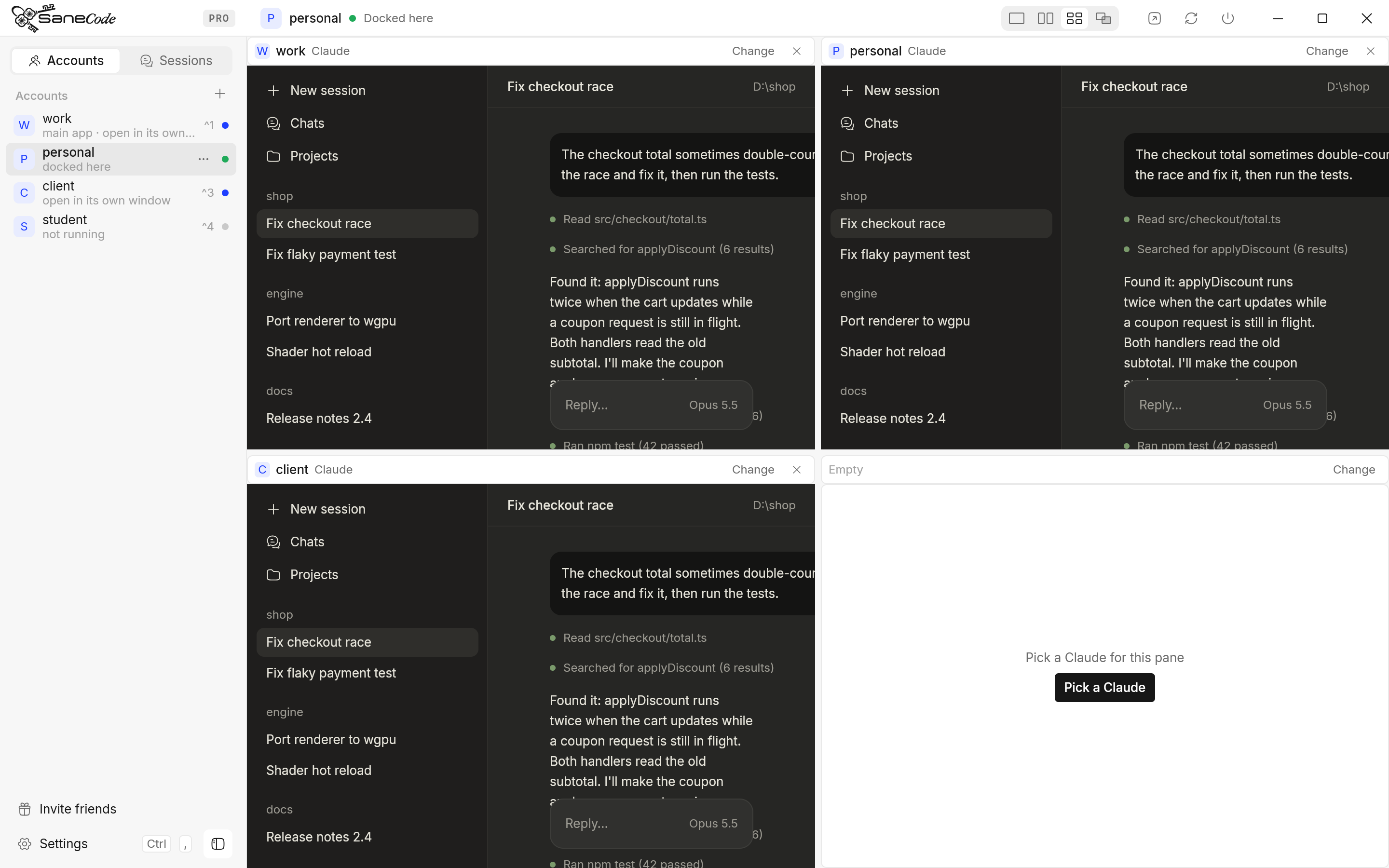
Grid shows four Claude windows in a 2×2. An empty tile shows Pick a Claude.
- Change on a tile’s header picks what’s in it; × empties the tile.
- A chat you bring in with +1 window goes into the first empty tile.
- Drag a header and drop it on another tile to swap the two.
Grid is free.
How do I use Canvas?
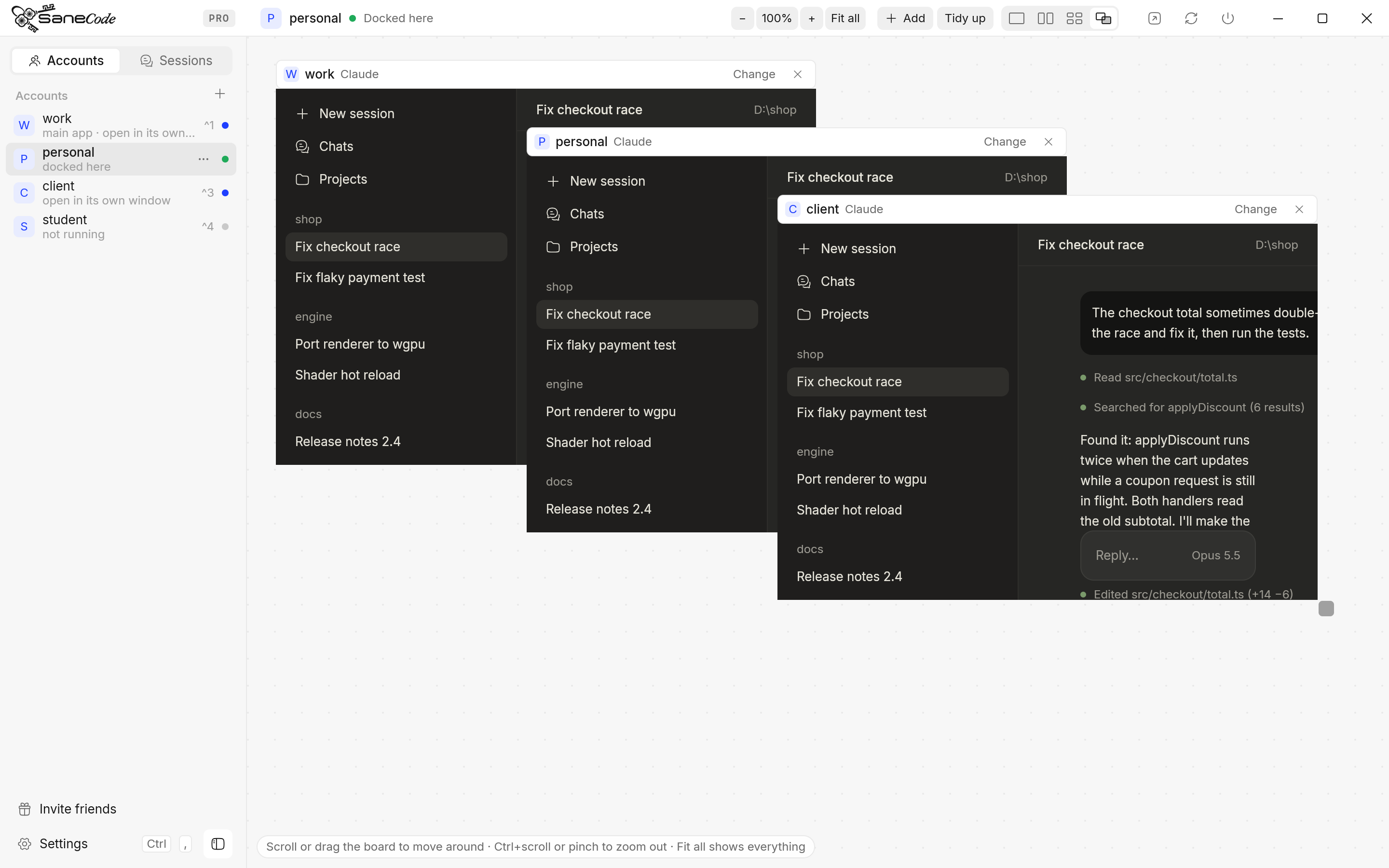
Canvas is a board you arrange freely. It’s part of Pro.
| To | Do this |
|---|---|
| Move a window | Drag its header |
| Resize a window | Drag the small square at its bottom-right corner (the pointer turns into a diagonal resize arrow) |
| Move around the board | Scroll, or drag the dotted background |
| Zoom out to see everything | Ctrl+scroll or pinch on the board, − / + or Fit all in the title bar, or Ctrl+− / = |
| Zoom back in to one window | Click its picture while zoomed out, or 100% (Ctrl+0) |
| Bring a window to the front | Click it, or drag its header |
| Add a Claude | Add in the title bar, or click an account in the sidebar |
| Arrange everything neatly | Tidy up in the title bar |
A window that hangs past the edge of the board is cut off at the edge, so it never covers SaneCode’s sidebar or title bar. At the bottom left, a short tip says how to move around.
How does zooming out work?
At 100% every window on the canvas is the live Claude window. Zoom out and SaneCode first takes a picture of each window, then shows the pictures, scaled down, with plenty of board around them: drag a picture to move its window, drag its corner to resize it, and click it to zoom back in to that window, live, at 100%. The pictures are taken each time you zoom out, so they show each window as it was at that moment. Tidy up arranges everything into a grid and zooms so it all fits.
What are the limits?
- Claude has a minimum window size (about 612 × 406 points, 765 × 508 pixels at 125% scaling). A pane smaller than that shows the Claude window at its minimum size, cut off at the pane’s edge, so it never covers a neighbour. On a 1080p screen, the bottom of each window in a 2×2 Grid is cut off a little; Split and Canvas don’t have that problem.
- Zoomed out, windows are pictures. A live Claude window can’t be drawn smaller, so below 100% you see each window as it was when you zoomed out. Zoom in to one to use it.
- Scrolling over a live Claude window scrolls Claude. Scroll over the board, between windows, to move the canvas.
- Many windows, more work. Moving the canvas moves every window on it. A few windows stay smooth; with many open, panning does more work.
- Settings, the tour and the Add account dialog cover the content area: the panes step aside while they’re open and come back when they close.
Is the layout remembered?
Yes. The layout, the split position, what’s in each tile, and where every canvas window sits are
saved in SaneCode’s settings (%APPDATA%\SaneCode\settings.json) and come back the next time
you open SaneCode. Panes remember windows by account and chat name, so they find them again after
a restart.
What happens when an account quits or a chat closes?
- Quit (or Pop out) on an account takes its windows out of every layout.
- Closing a popped-out chat with Claude’s own close button empties its pane.
- Claude closed to the tray: the pane shows that it isn’t running; click the account in the sidebar to open it again.
- Closing SaneCode gives every Claude window back to the desktop, as usual.
Written by the founder, @inxanity06 · Updated 2026-11-16