
Continue after reset (Automations)
Updated November 17, 2026.
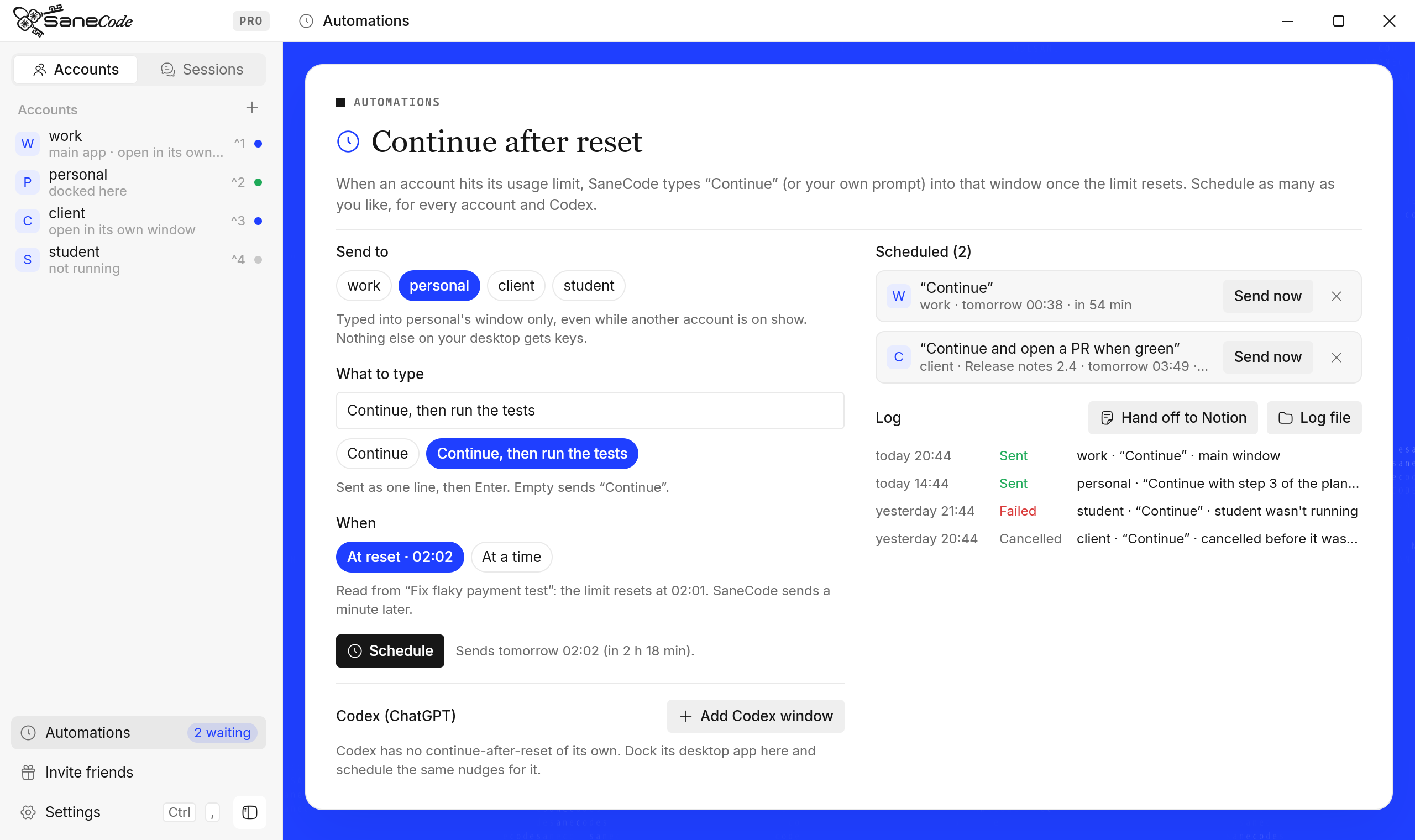
Automations sends “Continue”, or a prompt you write, to a Claude account’s window when its usage limit resets. You can schedule as many as you like, for different accounts and for the Codex (ChatGPT) desktop app, and every nudge is logged. The window doesn’t have to be in front.
How do I make Claude continue after the usage limit resets?
- Click Automations in the sidebar (or right-click an account → Continue after reset…).
- Under Send to, pick the account. If it has popped-out chats, pick the chat or Main window.
- Under What to type, leave it empty for “Continue”, or write your own prompt, for example “Continue, then run the tests”.
- Under When, pick At reset: SaneCode reads the reset time from the account’s recent Code
session and sends a minute after it. Or pick At a time and type it (
19:40,7:40 pm). - Press Schedule. The sidebar shows how many are waiting.
At that time SaneCode types the text into that window and presses Enter. Keep SaneCode running; if the PC was asleep, it sends as soon as it wakes.
Isn’t this the same as Claude’s own auto-continue?
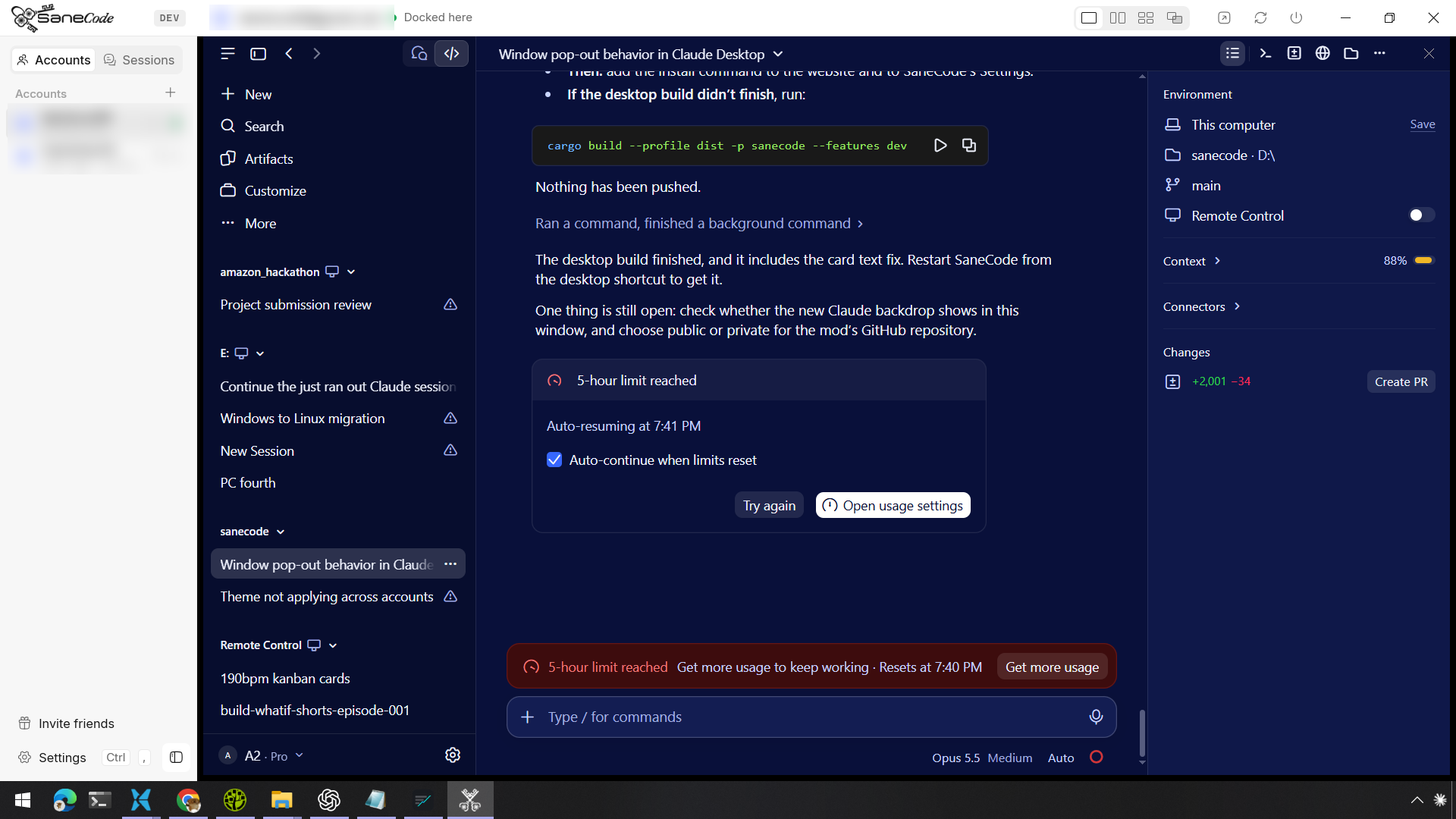
No. Claude desktop’s Code tab has an Auto-continue when limits reset checkbox on its limit card. It retries the turn that was cut off, with Claude Code’s own wording.
SaneCode’s nudges add what it doesn’t do:
- Your own prompt, not only a retry: “Continue, then open a PR when the tests pass”.
- Chats, not only Code sessions: type the time Claude shows.
- Several accounts at once, each at its own time, and the Codex desktop app.
- A log of everything sent, kept across restarts.
You can use both. If Claude’s auto-continue already resumed the turn, your prompt arrives as the next message.
Does the window have to be in front?
No. SaneCode sends the text to that one window as window messages, not as keyboard input for the
whole desktop. It works while another account is on show, while a SaneCode page covers the
windows, and for an account open in its own window outside SaneCode. Nothing you’re typing
elsewhere is touched. A script that presses Enter (for example with Python’s pyautogui) can only
press it in the window in front, which is why such scripts need the app kept in front.
Can SaneCode continue Codex after its limit resets?
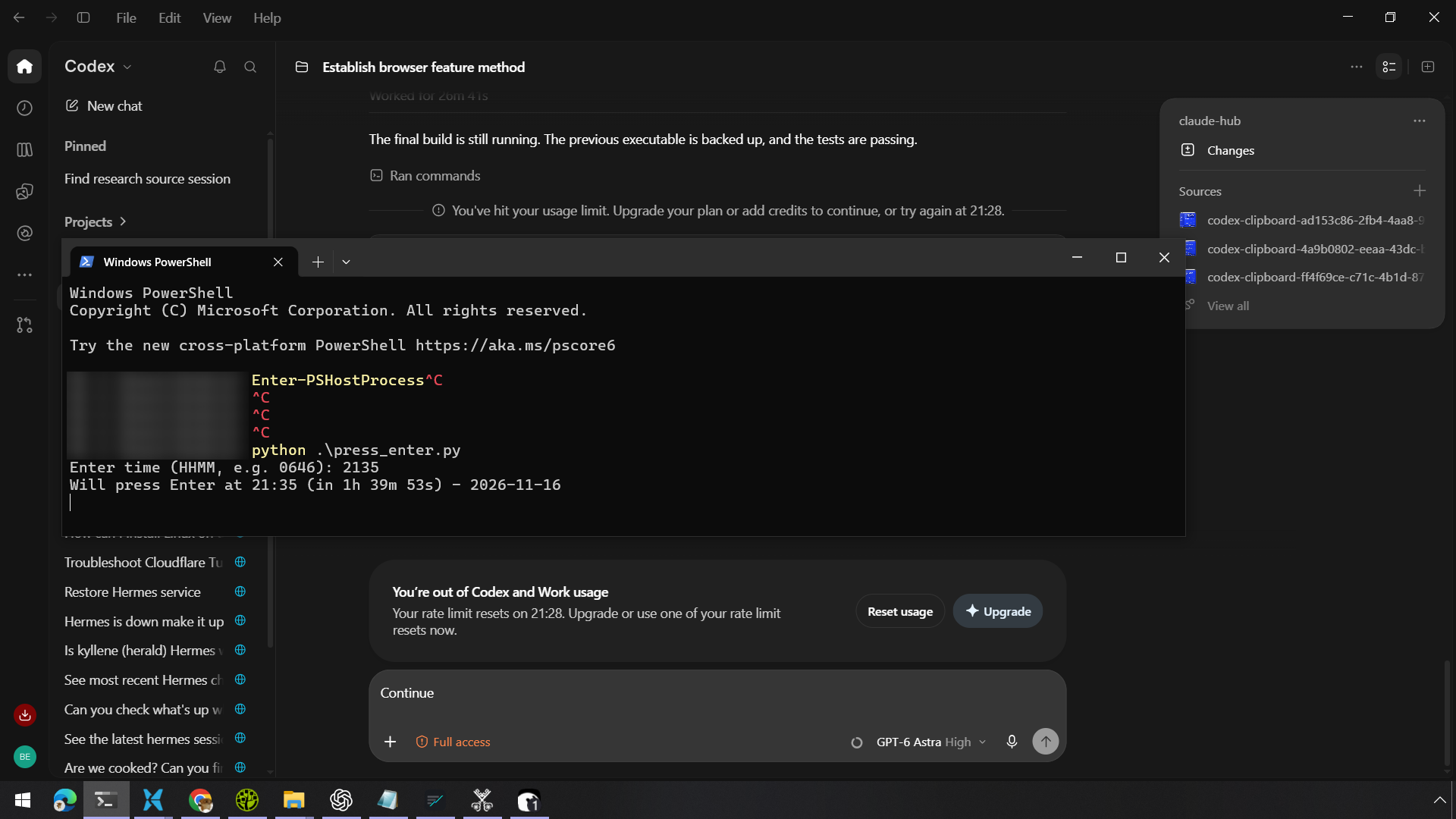
Yes. The Codex (ChatGPT) desktop app has no continue-after-reset of its own: when it says “try again at 21:28”, you come back at 21:28 and press Enter yourself. In SaneCode, press Add Codex window on the Automations page. Codex docks in the sidebar like an account (Split, Grid and Canvas work too) and takes the same nudges. SaneCode reads Codex’s reset time from its session files when it can; otherwise type the time Codex shows.
Where is the log?
The page shows the newest 200 nudges: sent, failed (with the reason, such as “wasn’t running”) and
cancelled. The whole log is %APPDATA%\SaneCode\nudges-log.jsonl; Log file opens its folder.
Scheduled nudges are in nudges.json beside it, so they survive a restart.
What does Hand off to Notion do?
Hand off to Notion writes a handoff: what’s scheduled, the account’s recent Code sessions and
the nudge log, as Markdown. It copies it, saves it in %APPDATA%\SaneCode\handoffs, and opens a new
Notion page. Press Ctrl+V there; Notion keeps the headings and tables. Creating the page
directly in your workspace, without pasting, is on the roadmap.
What can go wrong?
- The account isn’t running at that time: the nudge is logged as failed. Start it before then.
- The cursor isn’t in the chat box (you clicked somewhere else in that Claude): the text goes where the cursor is. Click the chat box once before you leave.
- SaneCode is closed at that time: nothing is sent until it opens again; then due nudges go out at once.
- Text is sent as one line, up to 2,000 characters.
Related: continue the conversation in another account right away instead of waiting, and the article How to continue Claude or Codex after a usage limit resets.
Written by the founder, @inxanity06 · Updated 2026-11-17